
When running the Spire VA executable, you may encounter the invalidnamespace error after extraction. This article explains the cause and provides steps to resolve it.
Cause
The error occurs when Hyper-V is not enabled in either the BIOS or Windows Features.
Resolution
- Enable Intel (R) Virtualization Technology in the BIOS.
- Restart the computer and access BIOS settings.
- Locate Intel Virtualization Technology (sometimes labeled as VT-x).
- Enable the feature and save changes.
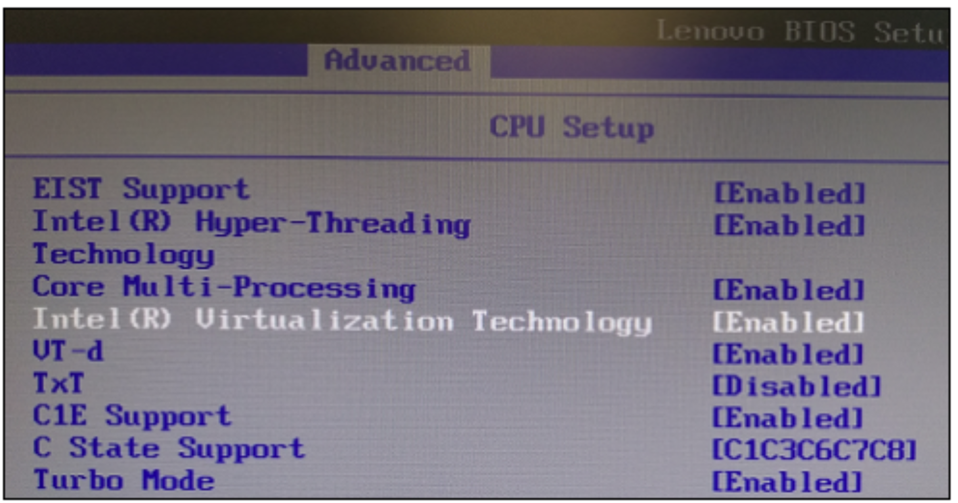 (Example from a Lenovo laptop)
2. Enable Hyper-V in Windows Features.
- Press Windows Key + R, type
optionalfeatures, and press Enter. - In the Windows Features dialog, check the box for Hyper-V.
- Click OK and restart the computer if prompted.
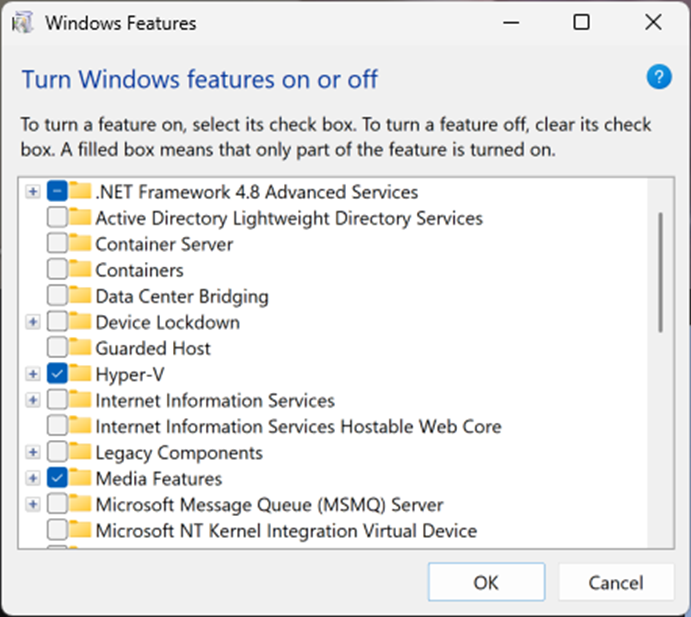
By following these steps, you can successfully resolve the invalidnamespace error and complete the Spire VA installation.